

Sell PDFs And E-Book to Earn Money – If you want to earn money sitting at home with the help of AI, then today we are going to tell you how to earn money by selling PDFs and e-books in this article.

And it’s super easy to make! You can easily make them with the help of artificial intelligence technology, so in this article we are going to tell you all the details.
So if you are looking for a way to earn money online, then this can be a great way for you which can become a regular source of income after hard work at least once in a short time. Not only this, let me tell you that many people are earning money using this method in today’s time.
You too can become one of them. Let me tell you that this type of PDF can be made with the help of AI and sold on Amazon Kindle. In this article, you will learn how to set it up.
How To Create PDFs and E-Book ?
First of all, you have to understand that if you want to publish a PDF on Amazon Kindle, then here we are telling you in the road. This is not a guarantee that your PDF will sell from here. For this, you have to follow this roadmap. The
First of all, prepare an outline with the help of ChatGPT by researching on the topic you have knowledge of. After this, you can write good content with the help of AI and then list your PDF or e-book on Amazon Kindle. Here’s a step-by-step guide!
Step 1: Category Selection
The first step to starting any business is to choose your business category. At this point, you need to select a topic. Which will give knowledge to the people reading as well as solutions to their problems. Below we have listed some of the topics. If you have a good grasp on any of these topics, you can select them.
- Personal Finance
- AI And Technology
- Cooking And Recipes
- Self Improvement
- Domain Investment Guide
- Real Estate Money Making Roadmap
Step 2 : Search On Amazon
As everyone knows, before you write a book, you should do keyword research on Amazon. In this, you should see what kind of keywords people are searching for on Amazon. All you have to do is optimize your PDF by targeting the keywords of that type in your category.
To search for keywords, go to Amazon Kindle and search for your topic and analyze the title, cover page, description, and price according to the current results.
After this, try to give a solution to the problem by studying the readers’ problem. The better the solution, the better your chances of selling your PDF or e-books.
Step 3: Create E-Book Outlines
In the third step, you have to create a structure by preparing an outline from ChatGPT to create a PF or e-book. And then according to that you can create content from A.
Step 4: Write Content
Now let us assume that you have generated an outline on any one topic. You have to plane your content according to the outline. After this, he also has to generate content with the help of AI.
If you add a personal example of your life in it, then it is more likely to increase the user experience and the number of downloads of your PF can still be high.
Note: If you are writing content from AI and saving it directly in the document and publishing it, then this can be your biggest mistake.
So first of all, you have to read it carefully yourself and add your personal life real life example to it. After reading it, you can save it in your e-book.
Step 5 : Cover Page Design
As you all know that the front page of any book is its cover page, so the first thing any buyer sees before buying an ebook is your cover page, so the stronger and more attractive your cover page will be. Your chances of selling your ebook or PDF will be so much higher.
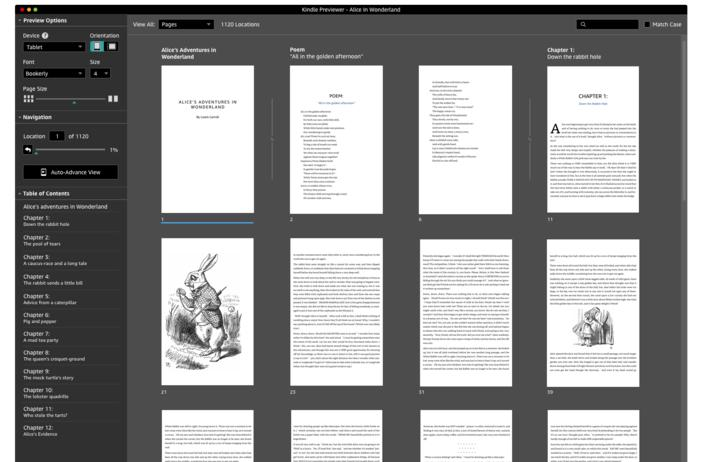
So with the help of AI, you can easily make it. It can also add related visuals that look engaging. But during this time you have to keep in mind that AI makes small mistakes many times. Therefore, every time you do something, double-check it.
Step 6 : Prepare E-books And PDFs
There is not much difference between e-books and PDFs. As soon as your entire content is ready, you can save it as PF by deciding the layout by saving it in a tool like Microsoft Word or Google Doc. And you can prepare e-books accordingly to sell on Amazon Kindle.
How To E-Book On Amazon Kindle?
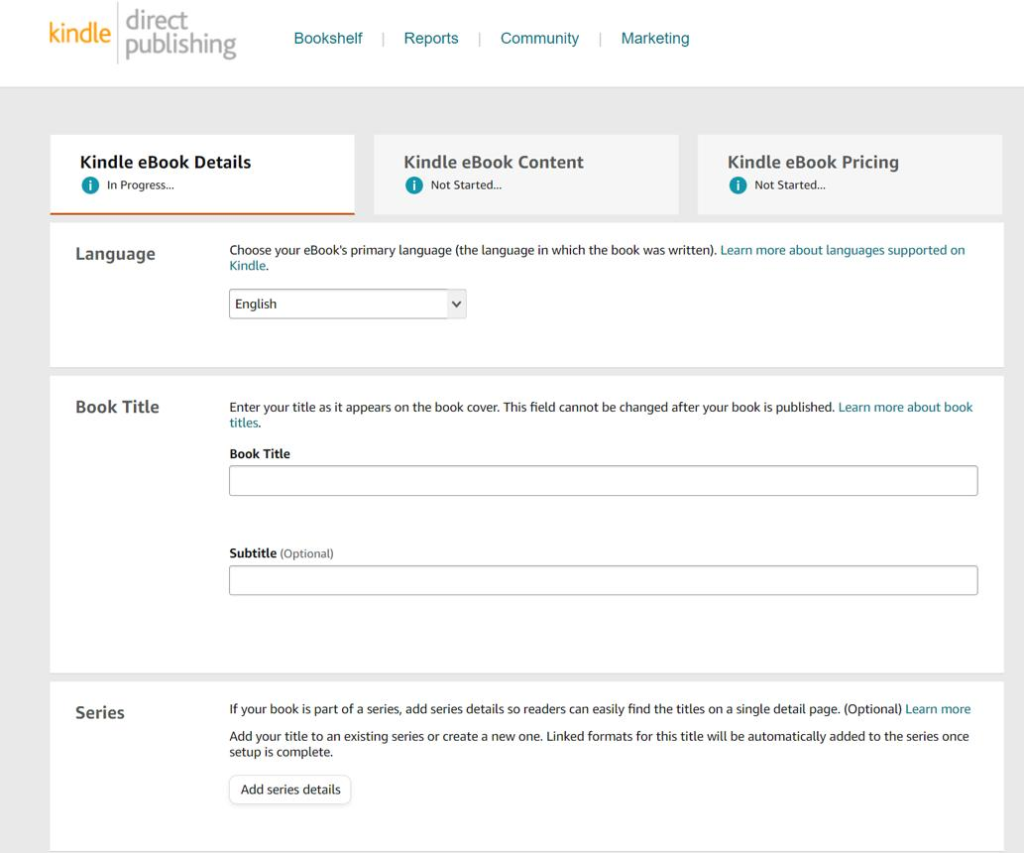
- Create an account on Amazon Kindle.
- After this, set up your profile on Amazon Kindle. Complete all fields with the correct information.
- Now you have to complete the payment and tax related profile.
- After this, you can go to the bookshelf and start listing ebooks on your Amazon Kindle.
- For more details, visit the company’s official website.
- Publish your e-books.
- To increase sales, you can share it with your audience, make a video on YouTube and also promote it on Instagram.

My Name is Ramanujan Yadav Based in Madhya Pradesh. I did many experiment with AI and made also some money. and also I love to read and Write About Tech and AI Make Money Ideas.
Simple and easy login process at Zulacasinologin, which is always a bonus. Gets you straight into the action. Try it out for convenience: zulacasinologin