

OnePlus 15 ColorOS 17 Update : If you are a OnePlus 15 user, then there is a good news for you. The company has started rolling out the stable update of ColorOS 17 based on Android 17 for its new smartphone OnePlus 15.
The special thing is that the rollout of this update has started before the date decided earlier. This allows users to benefit from new features and a better software experience.
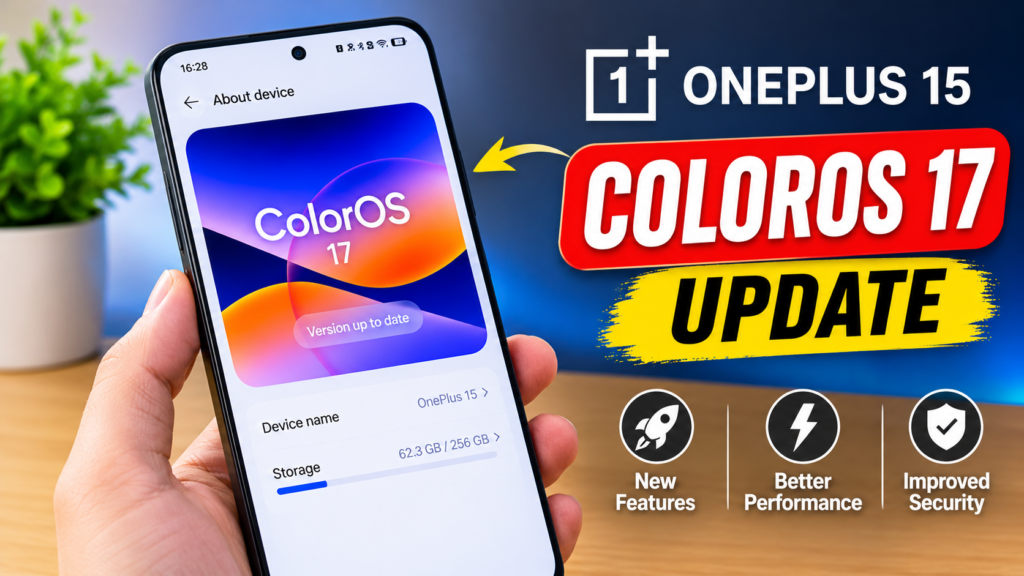
In this article, we have told you about the OnePlus 15 ColorOS 17 update. It comes with a new design, improved animations, AI features, and a host of improvements related to the phone’s performance. However, this update is not available for all users. The company is gradually rolling it out to different devices.
So if you also want to know about OnePlus 15 ColorOS 17, then you can read this article in full. The variant with 256GB storage and 12GB RAM starts at Rs 84,899 in India.
OnePlus 15 ColorOS 17 Update Release Date
The stable update of ColorOS 17 for OnePlus 15 started rolling out in India around October 23, 2026. The update was earlier planned to roll out from October 29, 2026, but some users started receiving it earlier.
Apart from this, we tell you that this update is based on Android 17. Initially, the OnePlus 15 and OnePlus Pad 4 have been included in the first phase of this update.
Note that the release of the update does not mean that all OnePlus 15 users will get the update on the same day. The company usually releases the update in phases, so some users may have to wait a bit for it. If you haven’t received the update yet, don’t worry. Because in a few days you will get it automatically.
OnePlus 15 ColorOS 17 Update New Features
ColorOS 17, the operating system of the OnePlus 15 smartphone, has made many changes that can improve the experience of using the phone. Let’s consider its main features.
1. New Design and Smooth Animations
ColorOS 17 focuses on making the phone’s interface more attractive and smoother than before. Animations can appear better when opening apps, changing menus, and swiping across screens.
The new design also includes light effects and some visual changes. This allows for a cleaner and smoother animation experience while using the phone’s interface.
2. Improved Performance
In this update, changes have been made to improve the system performance. With the help of new rendering systems and better resource management, the activities on the screen can be smoother.
This can be used to open apps, use menus, and move from one app to another. However, the actual performance will also depend on the usage of the phone and the apps.
3. New AI Features
As you know that there is talk of artificial features everywhere nowadays, then how can this company also stay behind. Therefore, the company has also paid special attention to AI-related features in ColorOS 17. These include features like AI Mind Pilot, which is designed to help users with different tasks.
With the help of AI, options like organizing information, making some work easier and using the phone more convenient can be found. However, the availability of all AI features may vary by device, region, and software version.
4. Better Lock Screen Customization
The new update brings some new options to change the lock screen to your liking. Users can see different clock styles and visual effects.
These changes can make it easier to give a new look to the phone’s lock screen. What options will be available will depend on the software version installed on the phone.
5. Improved Security and System Experience
The new Android version also brings a number of improvements to the system. ColorOS 17 also includes changes related to better software experience and security.
However, one should not rely only on new features to maintain the security of the phone. Users should also keep installing security updates available from time to time.
How to Download OnePlus 15 ColorOS 17 Update
If you own a OnePlus 15, you can check if the ColorOS 17 update is available for you by going to the phone’s settings.
Follow these steps to check for updates –
- First of all, open the Settings of your OnePlus 15.
- Go to the About Device or System & Updates section.
- Now tap on the option of Software Update.
- Let the phone check for new updates.
- If ColorOS 17 is available, download and install it according to the instructions that appear on the screen.
It is best to connect your phone to Wi-Fi before downloading the update. Also, ensure your phone has sufficient battery and that you have backed up any important data.
If the update does not appear, there is no need to worry. It is possible that the update has not yet reached your device. You can check again after some time.
OnePlus 15 ColorOS 17 Update Size
The size of the ColorOS 17 update may vary depending on the software version currently installed on your phone.
Users already running a beta version might receive a smaller update, whereas those updating from an older stable version may encounter a larger download size.
Therefore, be sure to check the file size displayed on your phone screen before initiating the download. Also, ensure that you have sufficient internet data and storage space available for the download.
Which OnePlus Phones Will Get ColorOS 17 Update?
The OnePlus 15 and OnePlus Pad 4 have been included in the initial rollout of ColorOS 17. Additionally, an update schedule has been announced for several other OnePlus phones.
The OnePlus 15R and the OnePlus 13 series are slated to receive the update in the next phase. Meanwhile, a schedule for November 2026 has been indicated for the OnePlus 13R, OnePlus 12, and certain devices in the Nord series.
It is important to note that the update date and availability may vary for each model. Therefore, please check the update details specific to your phone model. The fact that one model receives an update does not guarantee that all other OnePlus phones will receive it at the same time.
Should You Install ColorOS 17 on OnePlus 15?
If a stable update to ColorOS 17 is available for your OnePlus 15, you might consider installing it to access new features, design changes, and system improvements.
Before installing the update, keep a few important points in mind: back up your phone, ensure the battery is sufficiently charged, and verify that there is enough storage space available on your device.
If you rely on your phone for essential tasks, you could also choose to wait and check initial user reports regarding the update before proceeding with the installation. This can help you become aware of any potential issues beforehand.
OnePlus 15 ColorOS 17 Update: Final Verdict
The ColorOS 17 update for the OnePlus 15 is a significant software upgrade, featuring a new design, improved animations, AI capabilities, and system enhancements. Based on Android 17, this update introduces several changes aimed at enhancing the overall user experience.
The stable rollout has begun in India, though it may take some time for the update to reach all users. Therefore, keep checking the ‘Software Update’ section within your phone’s settings.
If this update is available for your OnePlus 15, be sure to back up your essential data before proceeding with the installation.
Frequently Asked Questions
1. Is OnePlus 15 Getting ColorOS 17 Update?
Yes, the stable update for ColorOS 17, based on Android 17, has begun rolling out for the OnePlus 15 in India.
2. When Will OnePlus 15 Get ColorOS 17 Update in India?
Its rollout began around October 23, 2026. However, not all users will receive the update at the same time.
3. What Are the New Features of ColorOS 17?
This update includes a new design, smoother animations, performance improvements, lock screen customization, and AI-related features.
4. How Can I Check the ColorOS 17 Update?
You can check for updates by going to your phone’s Settings and selecting the ‘Software Update’ option, which can be found under ‘About Device’ or ‘System & Updates’.
5. Will Other OnePlus Phones Get ColorOS 17?
Yes, an update schedule has also been announced for some other OnePlus models. However, the availability of the update will depend on the phone model and the phase of the rollout.
6. Is It Safe to Install the ColorOS 17 Update?
If an official stable update is available for your phone, you might consider installing it. Before updating, back up your essential data and ensure your phone has sufficient battery.
Also Read : –
- Should You Buy Vivo Y600 5G Phone ? Explained
- Apple iPhone Duo Launched: Apple’s First Foldable iPhone Goes on Sale, Price and Features Revealed
- Vivo X500 Ultra Camera Leak: 50MP Main Camera and 200MP Zoom Camera

My Name is Ramanujan Yadav Based in Madhya Pradesh. I did many experiment with AI and made also some money. and also I love to read and Write About Tech and AI Make Money Ideas.